Upsell Sets (Prebuilt & Custom)
An Upsell Set is a collection of products recommended to your shoppers.
1. Prebuilt (Default) Sets
Automatically pulls and sorts products from the same collection using one of 8 dynamic algorithms
-256fc3c6afedc38c7067fd3de160eb47.png)
Select an option to learn more about choosing a prebuilt set.
2. Product Page
-a063a58b29707b4467bd64c5614cba9d.png)
2. Cart Page
-099c5fcdec549c6e59641b725c987387.png)
2. Custom Curated Sets
Allows merchants to hand-pick specific items, customize display order, and create targeted cross-sell bundles for high-priority campaigns.
Steps to create an Upsell Set
Open Upsell Sets
Go to Upsell Sets in the app menu.
-b84aaeaf4827b5a5db1739ecc4b914ea.png)
Choose Custom Set Tab
Switch to custom set tab and click on + Create New Set button to open the set creation window.
-9452888b8d2ec4c0f4b4b16e566142ba.png)
Configure & Save
Name your set, pick your addon products, and hit Save to create the custom set.
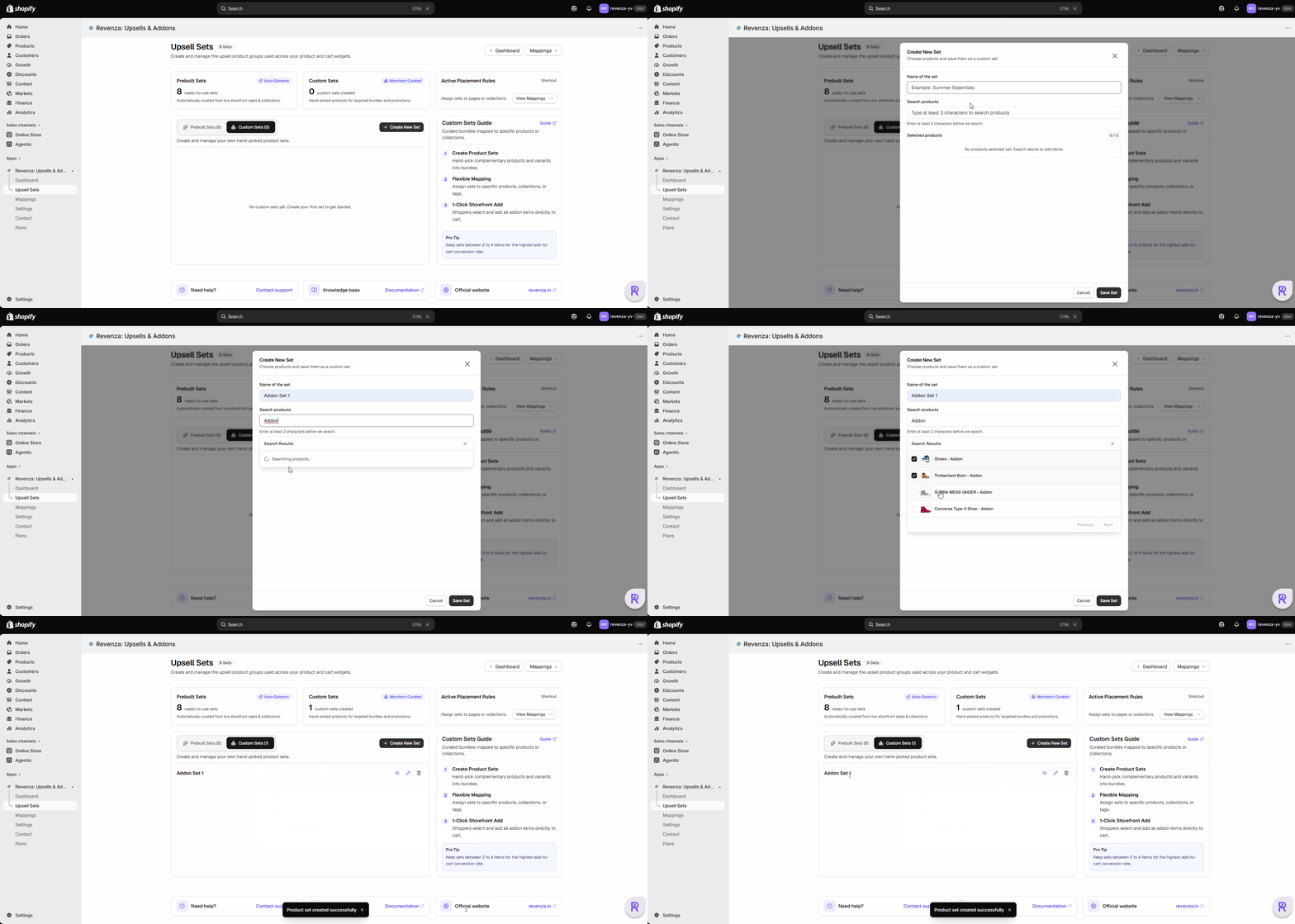
Once done, proceed to the next step to map the set with the individual products, collection or tag based on your requirement.
Need help configuring custom sets?
Reach out to us at support@revenza.in or connect using chatbot available in the app for live support.