App Block Integration (2.0)
The App Block (Online Store 2.0) integration is a fast, no-code method to showcase addon products directly on your product pages. It allows you to place upsell offers in the optimal position on your page to maximize conversion rates.
📦 Product Page Integration
Step 1: Open Theme Customizer
Shopify Admin → Online Store → Themes → Edit theme
-cfb6266efdbb5abbb2f6f204c1c37c5e.png)
Step 2: Select Product Template
Top dropdown → Products → Default product (or your custom template)
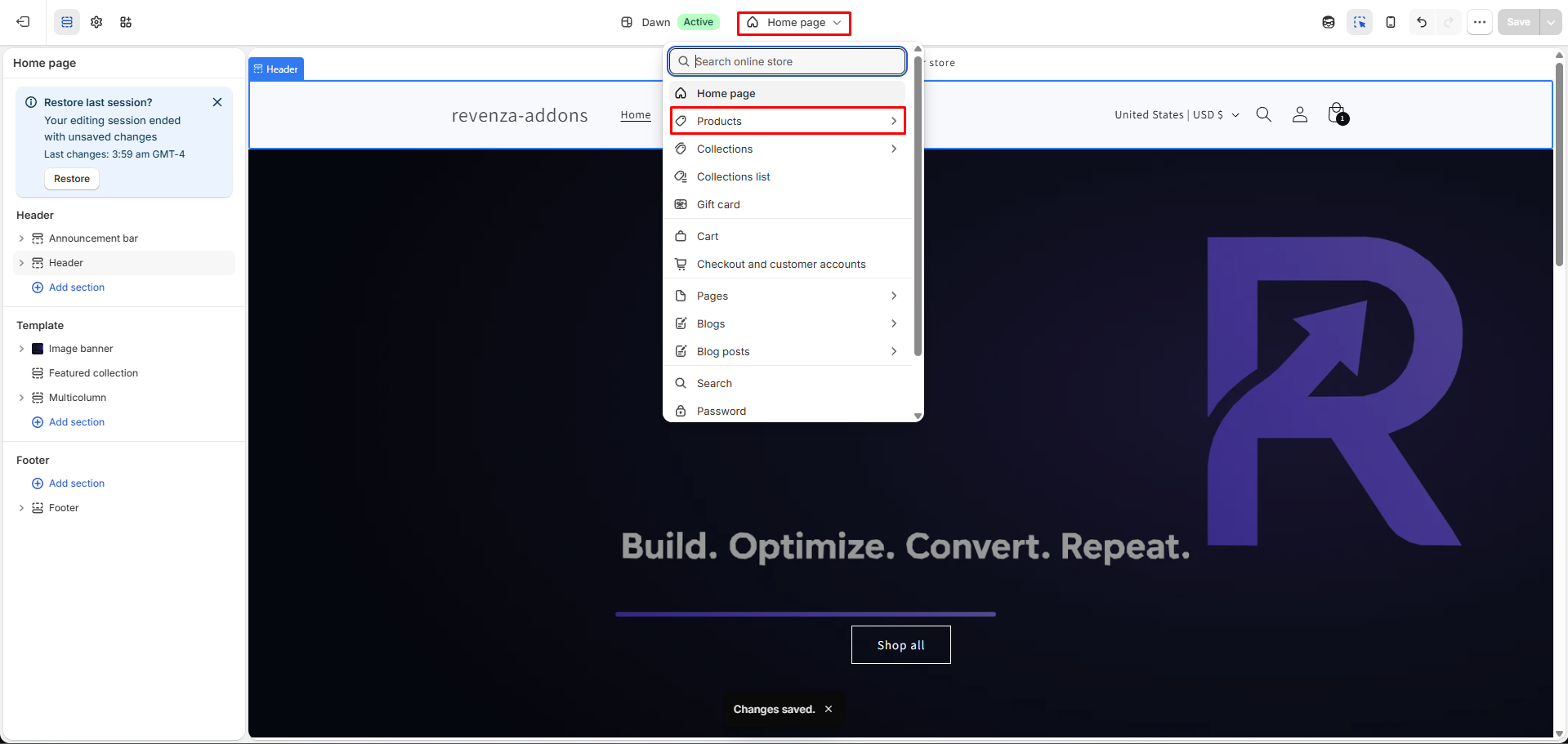
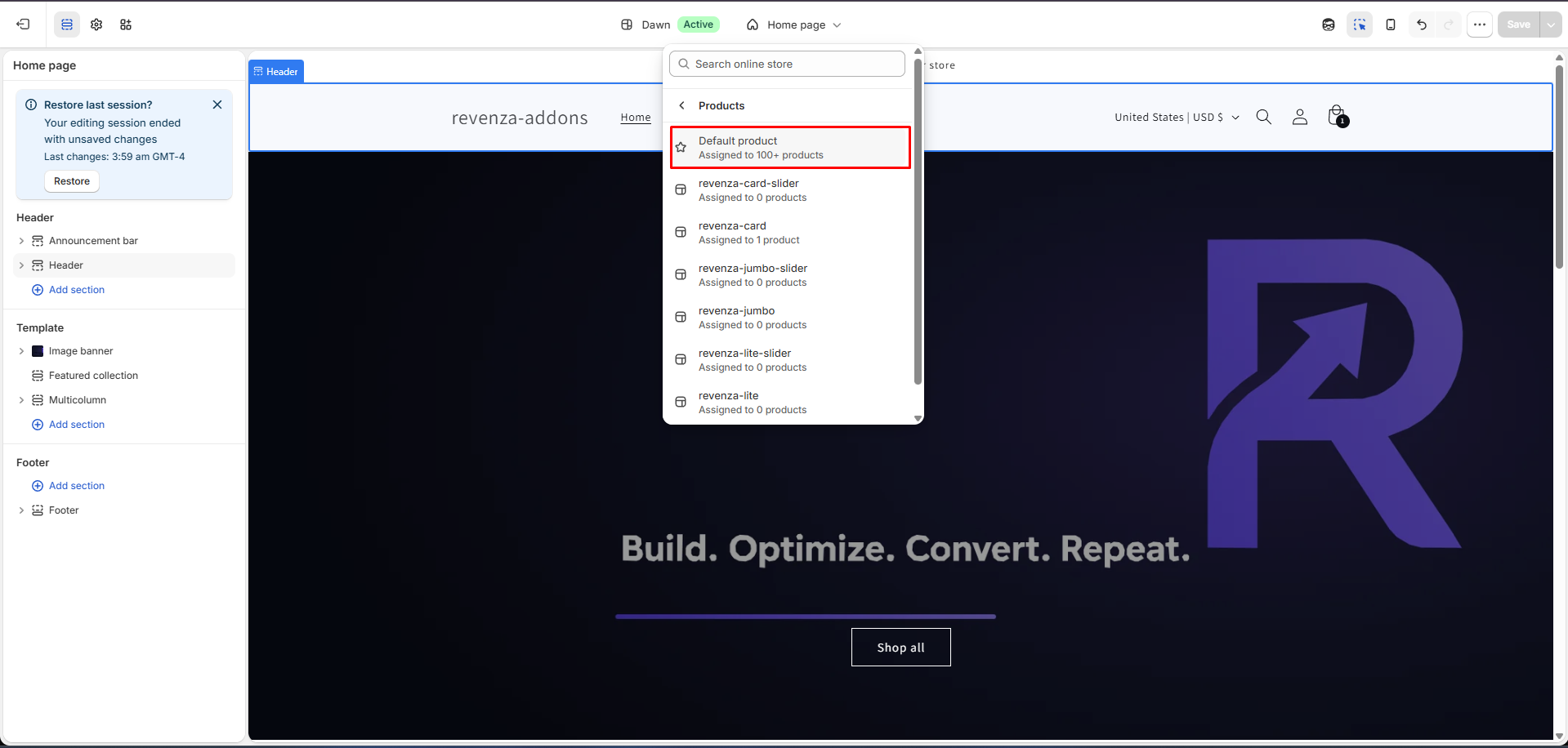
Step 3: Add App Block
Under Product information, click Add block → Apps → Revenza Upsell Block
-8e6263a1c2d557e4dc1fdc0969fc4e34.png)
Step 4: Position & Save
Drag the block to your desired spot (e.g., above the Add to Cart button) and click Save.
-e36b6de96cc00be591860ddba91baf59.png)
🛒 Cart Page Integration
Step 1: Open Theme Customizer
Shopify Admin → Online Store → Themes → Customize
-38b152ae73b66ad47cd6ebd692660b15.png)
Step 2: Select Cart Template
Top dropdown → Cart
-788641fff8bed895141d77700a76ac05.png)
Step 3: Add App Block / Section
Click Add block (or Add section) → Apps → Revenza Upsell
-06f00059b38d6263be86e69594418cdd.png)
Step 4: Position & Save
Drag the block to your preferred position (e.g., below Checkout) and click Save.
-acbb62f25dcc3a56971e5efe6e7102ac.png)