Product Mappings
Map Prebuilt upsells or custom upsell with Products, Collections or Tags based on your requirement to display customized addon recommendation accross product and cart pages in your store.
How to Create a Mapping Rule
Open Mappings
From the left navigation menu, click Mappings and click + Create New Mapping.
-cb5f96818b197a320b6156b3e80b58e3.png)
Name the Rule
Provide a clear internal reference name.
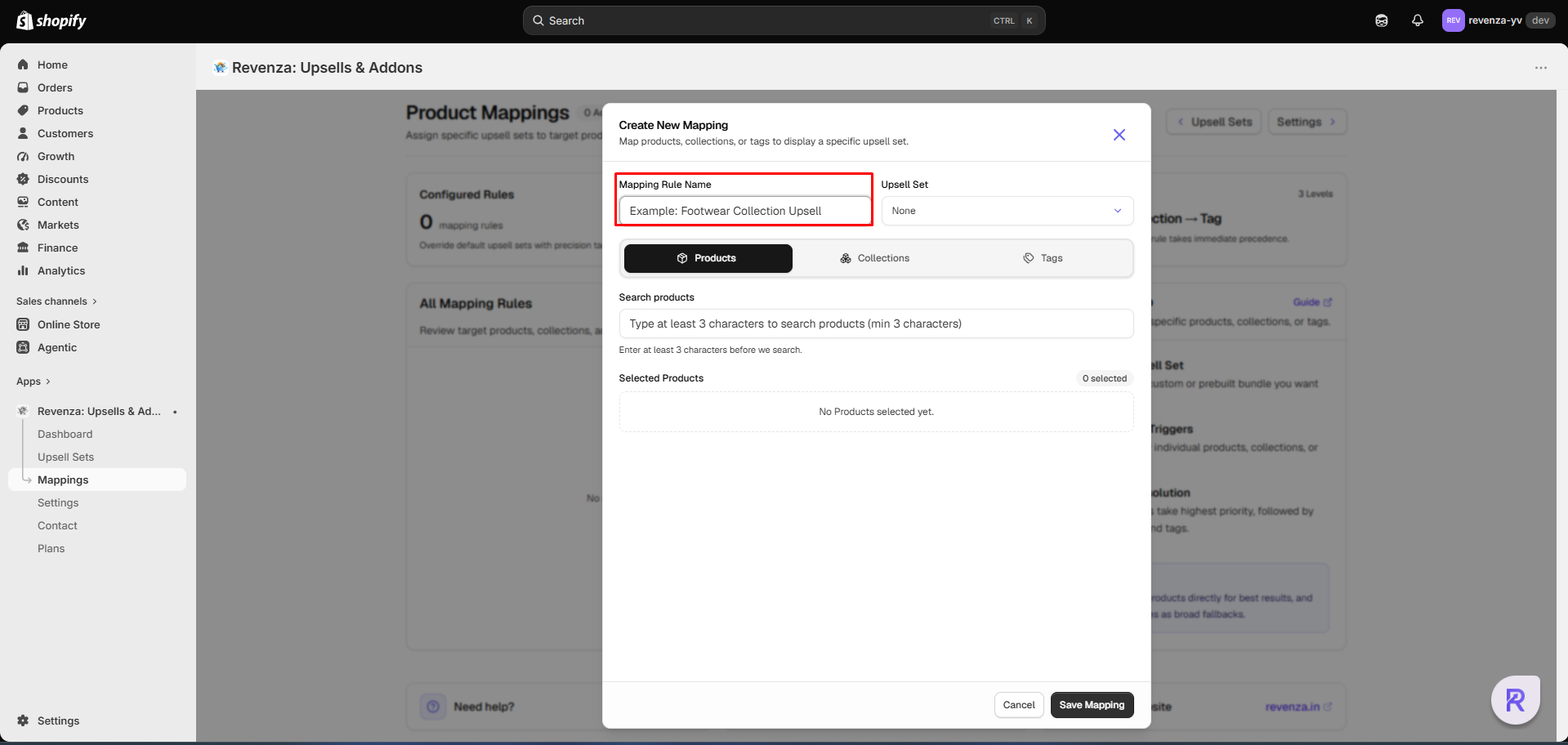
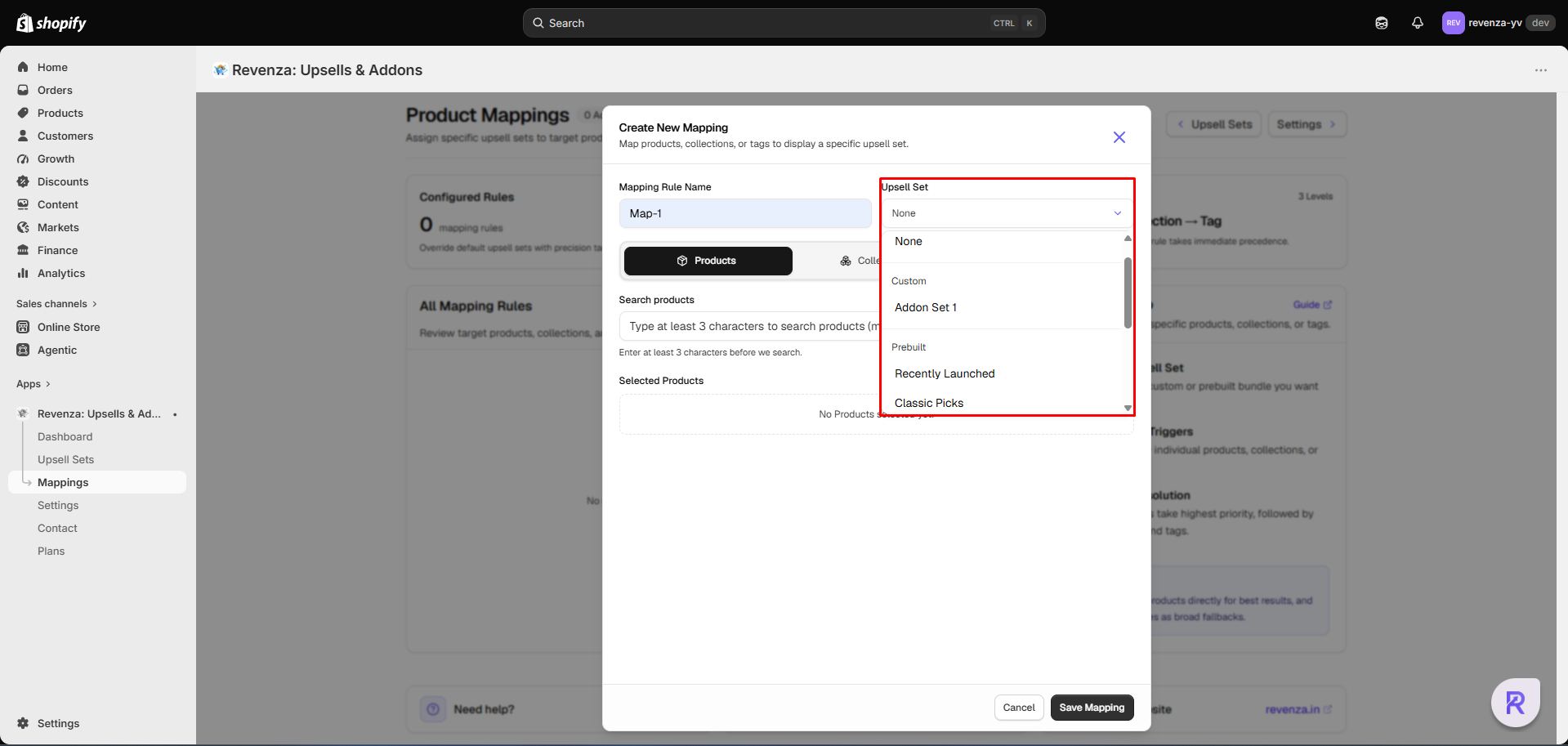
Select Upsell Set
Choose the Upsell set (Prebuilt or Custom Set) you want to present with the relevant target option.
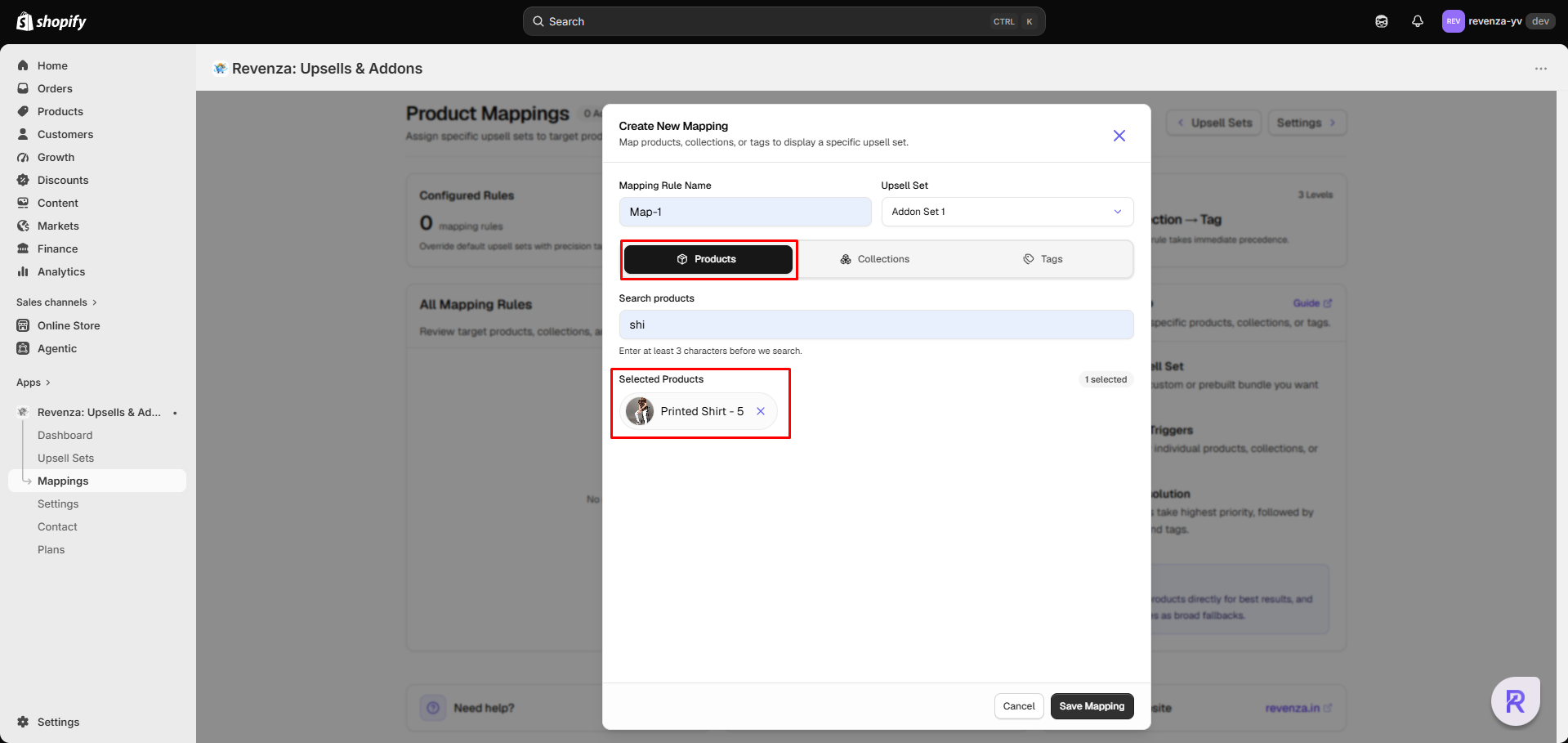
Choose Target Trigger
Select which items should trigger this offer - Products, collection or tag. I have selected Product here.
 info
infoCheck Trigger Types to learn more about other triggers.
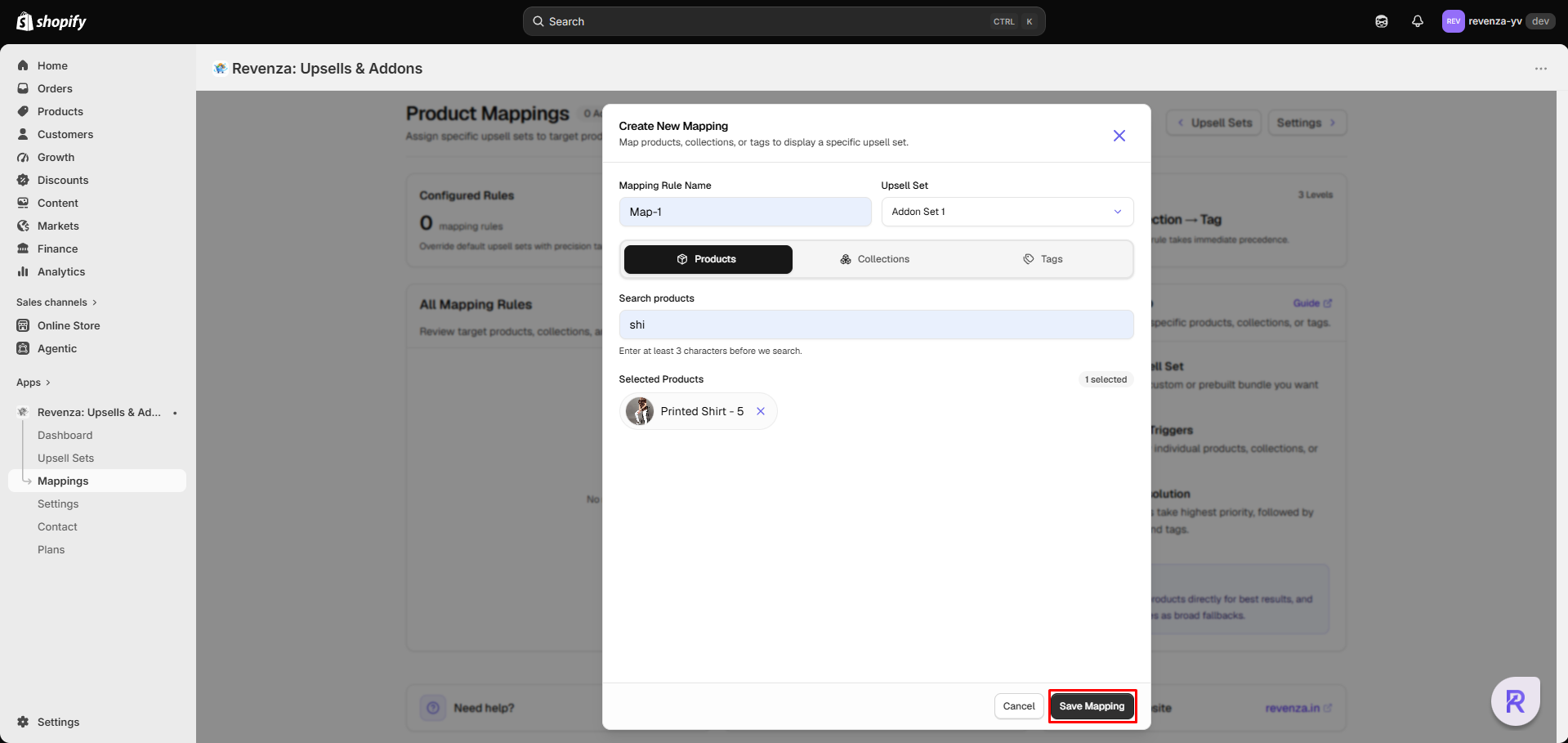
Save Mapping
Review your rule configuration and click Save. The mapping takes effect immediately across enabled storefront placements.
🎯 Trigger Types
- Specific Products: Select individual high-intent catalog items.
- Collections: Select one or more collections to apply the rule across all contained items.
- Tags: Enter product tags (e.g.,
waterproof,new-arrival) to target tagged items dynamically.
Need help configuring mapping?
Reach out to us at support@revenza.in or connect using chatbot available in the app for live support.