Theme Embed Activation
To display upsell widgets on your Shopify storefront, you must enable the app embed in your live theme.
🛠️ 3-Step Activation
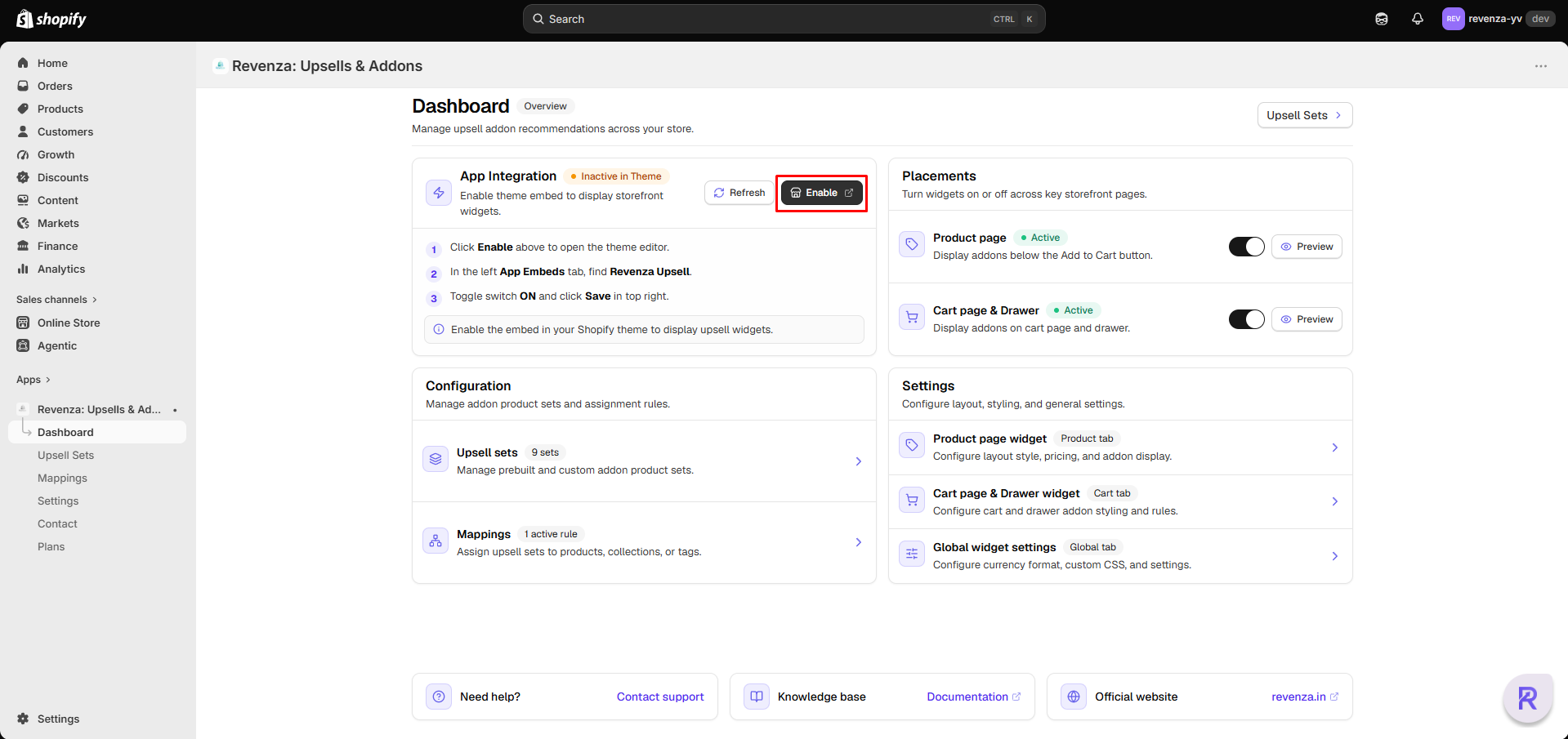
Open Theme Editor
Open the Revenza Upsell app from Apps, then click Activate in the Enable App Embed section.
Note: The button opens your currently published Shopify theme in the Theme Editor.
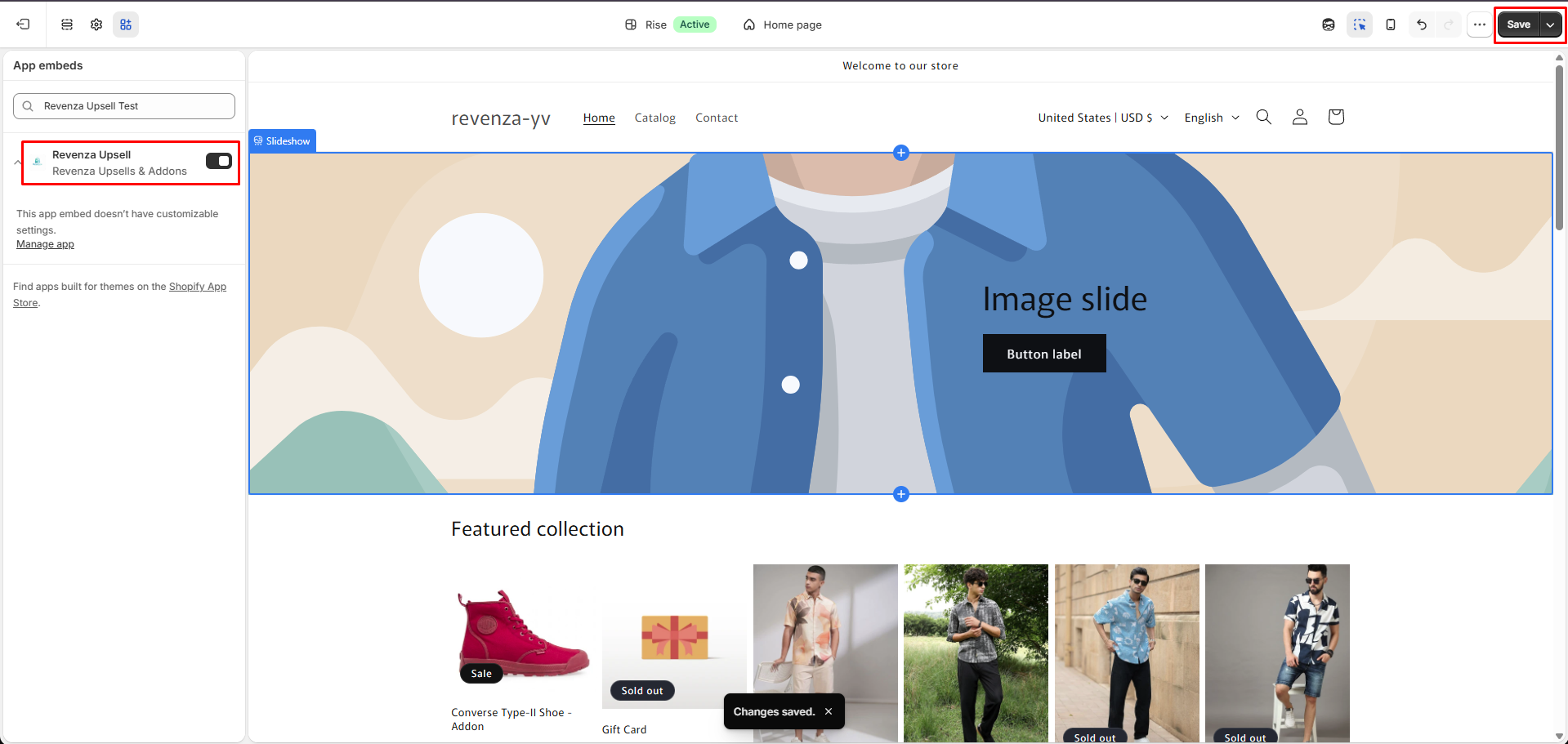
Save the App Embed
In the Theme Editor, click Save in the top-right corner to enable the app embed on your live theme.
Important: The app embed is not activated until you save the theme.
Verify Activation
Return to the Revenza Upsell app and confirm that the App Embed status shows Enabled.
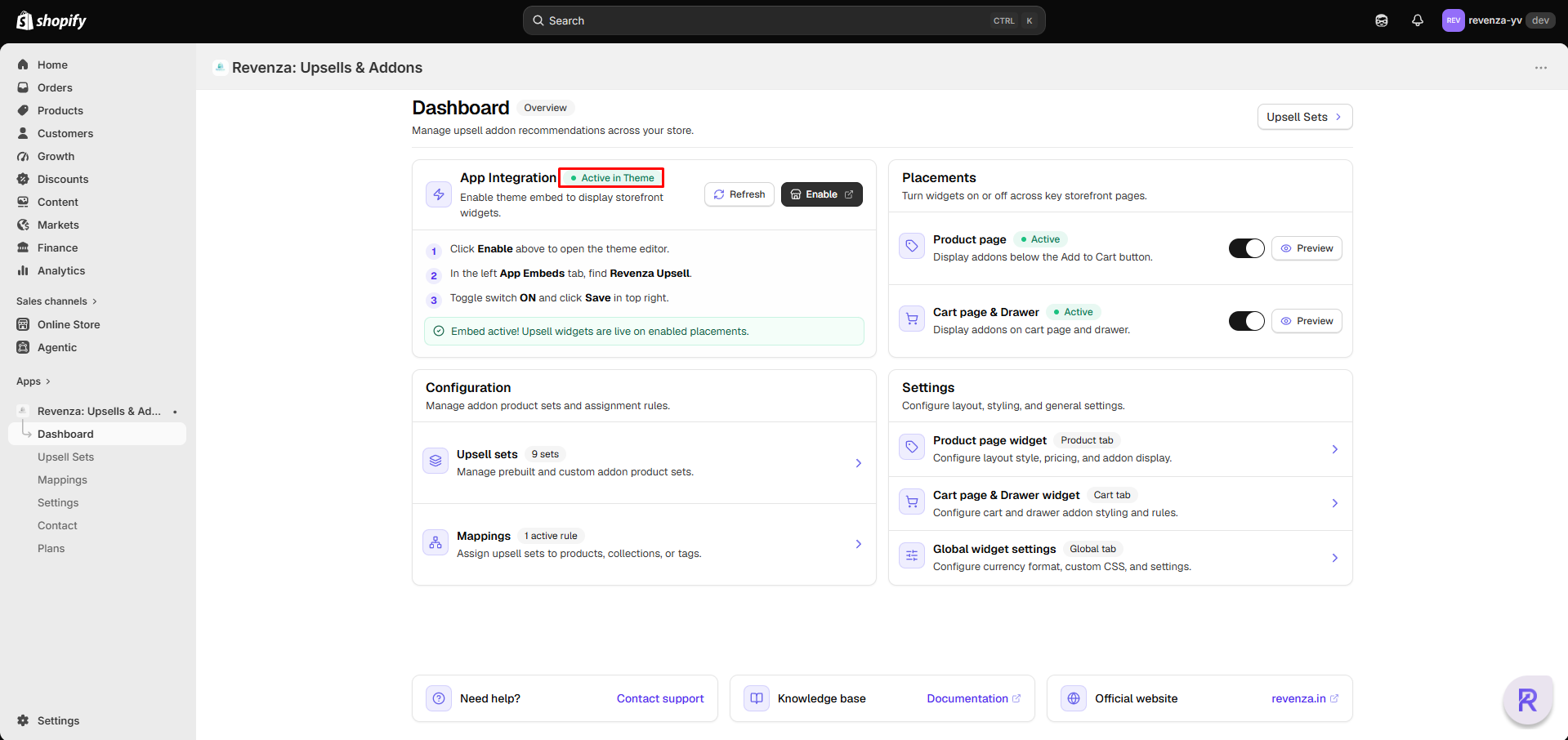
Once saved, return to the Revenza dashboard. The status badge will change from Inactive in theme (yellow) to Active in theme (green).
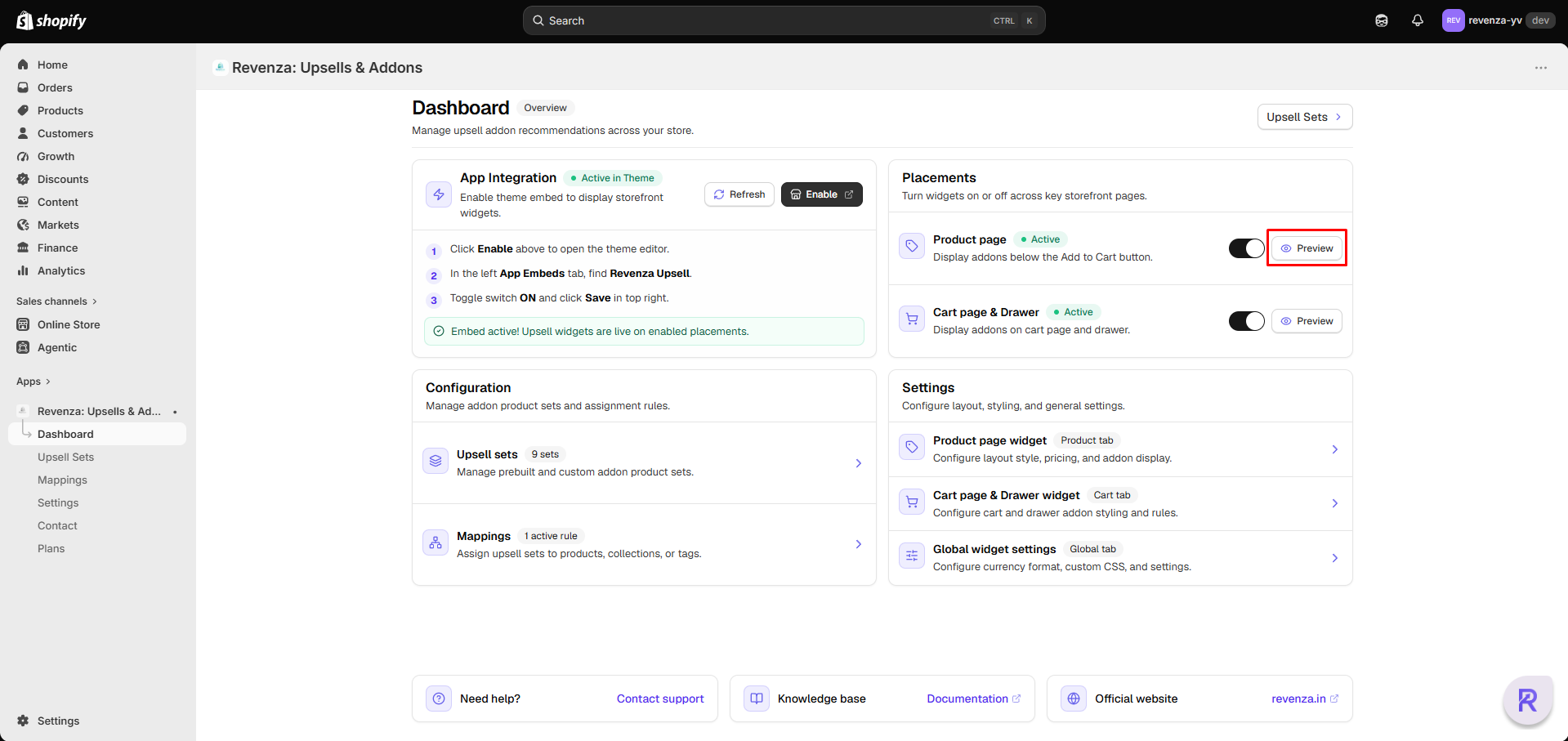
Preview Upsells
Click Preview in the Product Page section to view the default Pre-built Upsells on your product pages.